
How Long Does a Cloud Migration Actually Take in 2026?
 By Vaibhav Pendhare · July 15, 2026 · 7 min read
TL;DR
- There’s no single number — “how long does a cloud migration take” depends almost entirely on data volume, replatforming scope, and downtime tolerance, not team size or cloud provider.
- Simple lift-and-shift migrations (a handful of services, modest data, some downtime acceptable) realistically take 4-6 weeks.
- Migrations that include replatforming (changing orchestrators) with meaningful data volume and a zero-downtime requirement realistically take 10-16 weeks — our own 132 TB, zero-downtime migration for iCardio.ai took 14.
- The estimate that doubles is almost always the one that didn’t account for data migration as its own critical path, separate from application migration.
The question behind the question
“How long will this take” is rarely an idle scheduling question — it’s usually attached to a board deadline, a data-center lease expiring, or a compliance requirement with a hard date. The honest answer is a range, not a number, but the range itself is knowable if you’re honest about the three variables that actually drive it, instead of anchoring on how long a colleague’s migration took at a different company with a different data profile.
The three variables that actually set the timeline
Data volume and data gravity
This is the single biggest driver, and the one estimates most often get wrong. Moving application code and containers is comparatively fast — rebuild the image, point it at the new environment, done. Moving data — especially with any requirement to keep it consistent and available during the move — is a different kind of problem. It has to be synced, validated, and cut over in a sequence that can’t simply be compressed by throwing more engineers at it.
A migration moving a few GB of application state looks nothing like one moving hundreds of terabytes of production data that customers are actively reading and writing during the migration window.
Replatforming scope
A pure lift-and-shift — same architecture, same orchestrator, just a different cloud underneath — is the fastest path. A migration that also changes the underlying platform (moving off ECS onto Kubernetes, consolidating multiple data stores, adopting a new CI/CD model at the same time) takes meaningfully longer, because you’re validating new failure modes on top of the migration itself, not just relocating known-good infrastructure.
Downtime tolerance
A migration where a maintenance window is acceptable is materially faster than one that requires zero customer-facing downtime. Zero-downtime migrations require dual-running old and new environments, careful traffic cutover (often gradual, not a single switch), and rollback plans that themselves take engineering time to build and test — all before the “real” migration work even starts.
Realistic timeline tiers
Tier 1 — Simple lift-and-shift: 4-6 weeks. A handful of services, modest data volume, same architecture on the new cloud, some downtime acceptable during cutover. This is the fastest realistic timeline for a production migration that isn’t trivial.
Tier 2 — Migration with replatforming: 10-16 weeks. Meaningful data volume, a change in underlying platform (orchestrator, data store consolidation), and typically a minimal-or-zero-downtime requirement. This is where most non-trivial enterprise migrations actually land — including our own 14-week, 132 TB migration for iCardio.ai.
Tier 3 — Large-scale, multi-system, compliance-constrained: 4+ months. Multiple interconnected data stores, regulatory requirements around data handling during transit, or a migration spanning many teams and services that all depend on each other. These timelines are driven as much by organizational coordination as by technical work.
Most teams estimating their own migration land somewhere in Tier 2 without realizing it — they mentally price the project as Tier 1 (because the application migration genuinely is that simple) without pricing the data migration and cutover sequencing as their own, separate, slower critical path.
Real-world example
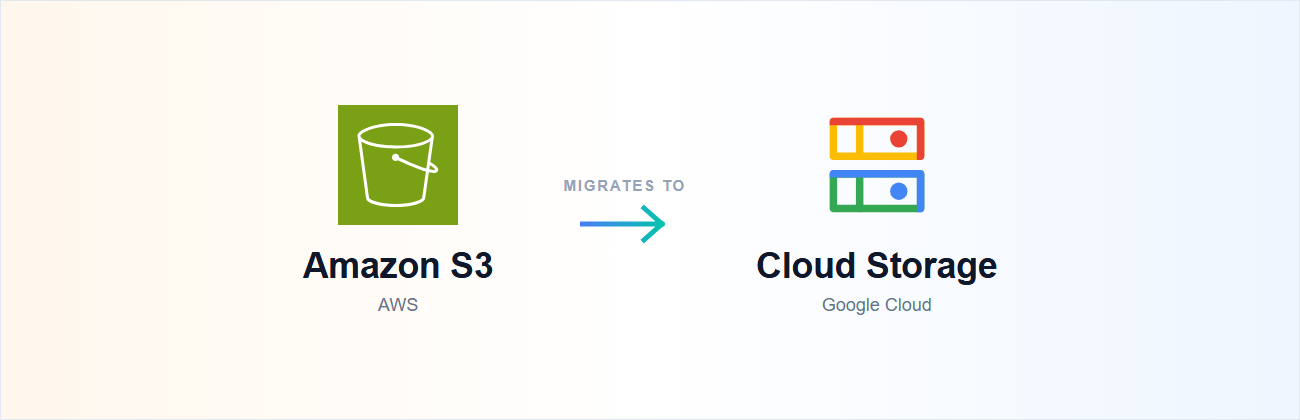
iCardio.ai, a medical-AI platform, needed to migrate 132 TB of annotated echocardiogram imaging data from AWS S3 to Google Cloud Storage, while simultaneously replatforming their container workloads from ECS to GKE — and doing all of it with zero downtime, since their AI pipelines and clinical partners couldn’t tolerate an outage window. That’s squarely a Tier 2 (leaning Tier 3, given the data sensitivity) migration profile, and it took 14 weeks with a 3-engineer team: infrastructure codified in Terraform first, the data transfer carefully sequenced alongside the container replatforming so neither track blocked the other, and Kubecost wired in from day one so the team had cost visibility the moment GKE went live.
A different engagement — Bridj.ai, a mobility-tech platform — wasn’t a migration in the same sense; they had no existing production deployment to move from, building their Cloud Run platform and shared CI/CD from a blank slate. That project took 9 months, but it’s a useful contrast: greenfield builds and migrations are different timeline profiles entirely. A migration is bounded by “get the old thing running safely in the new place.” A greenfield build has no equivalent anchor, and tends to expand to fit the ambition of what’s being built.
Trade-offs and what we’d avoid
- Don’t price the migration off the application work alone. If your estimate only accounts for containerizing services and writing Terraform, you’ve estimated Tier 1 pricing for what might be a Tier 2 project. Get an honest read on data volume and downtime tolerance before committing to a date.
- Don’t add engineers to compress the data-migration phase. Coordination overhead grows faster than throughput once you’re past 3-4 engineers on a mid-size migration, and the critical path (sync, validate, cut over) doesn’t parallelize the way application work does.
- Don’t replatform and migrate simultaneously unless there’s a specific reason to. Doing both at once is often the right call (as with iCardio, where staying on ECS wasn’t worth a second cutover later), but it should be a deliberate trade-off against a longer timeline, not a default.
- Don’t skip the rollback plan to save time upfront. Zero-downtime migrations without a tested rollback path are the ones that turn a planned maintenance window into an actual incident. The rollback plan is part of the timeline, not an optional extra.
What to do next
What to do next
Get an honest read on your migration tier. The free Infrastructure Assessment reviews your current environment and gives you a real timeline estimate — not a generic range — before you commit to a date.
Separate the data-migration plan from the application-migration plan in your own estimate, even before talking to anyone — it’s the single fastest way to catch a Tier 1 estimate hiding a Tier 2 project.
If you’re scoping a real migration, see Cloud Migration or book a 30-minute call — we’ll give you a specific timeline for your data volume and downtime requirements, not a generic range.
Related reading: How much does it cost to set up production-grade Kubernetes in 2026? — if your migration includes a move to Kubernetes, this covers the cost side of that same decision.
Tags