
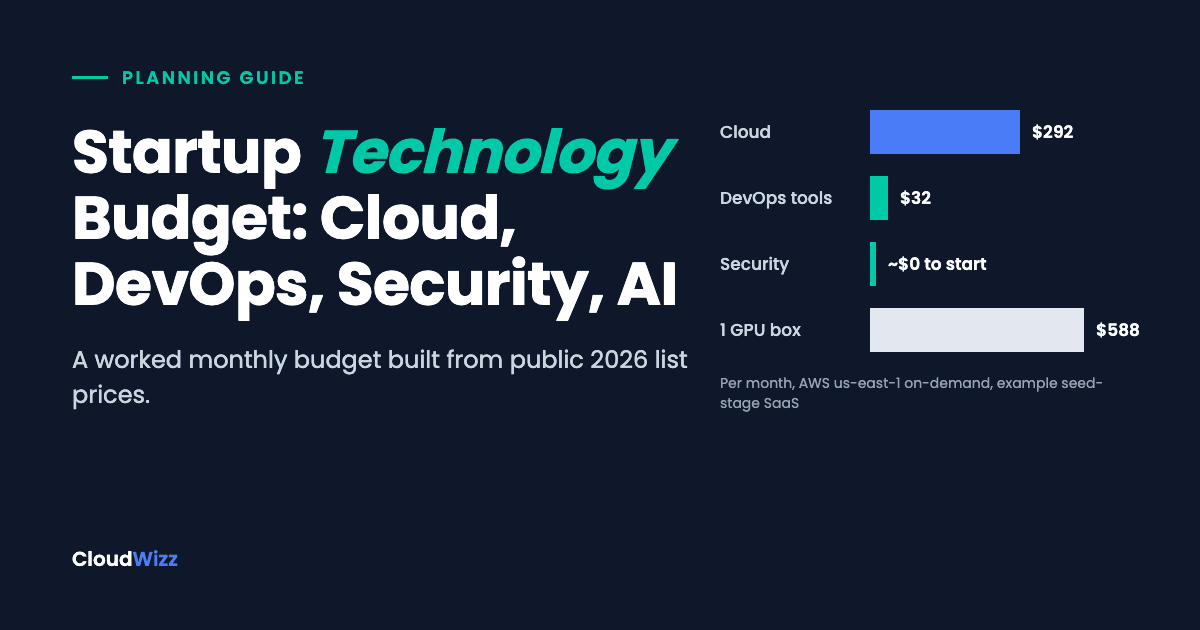
Startup Technology Budget: Cloud, DevOps, Security, AI
By CloudWizz team · November 24, 2026 · 9 min read
TL;DR
- A seed-stage SaaS can run production and staging on AWS for about $292 a month at on-demand list prices, and about $324 with CI/CD and monitoring tools added. The line-by-line math is below.
- Fixed hourly charges (load balancers, NAT gateway, public IPv4 addresses) cost more than the app servers in our example. That is where early waste hides.
- The security baseline is mostly free services plus engineering time. Budget the time, not a tool.
- One always-on GPU instance (about $588 a month for a g6.xlarge) would triple the bill. Treat AI infrastructure as a separate budget line with its own trigger.
Why a percentage split does not help you
Search for “startup technology budget breakdown” and you mostly find percentage rules: some share for cloud, some for security, some for AI. Those rules are hard to act on. A five-person team cannot spend “12% on security” when the security work that matters most at that stage is turning on free services and setting up access control properly.
A better way to budget is to price the actual setup you need right now, line by line, and then decide which lines grow with customers and which stay flat. That is what this guide does. Every price below is a public on-demand list price for AWS us-east-1 (US East, N. Virginia) or the vendor’s own pricing page as of November 2026, and every total is plain arithmetic on 730 hours a month. Your numbers will differ. The method will not.
We split the budget into four lines:
- Cloud hosting: compute, database, networking and logs.
- DevOps tools: source control, CI/CD minutes, monitoring.
- Security baseline: audit logs, threat detection, access control, backups.
- AI and ML: model APIs or GPU instances, only when the product needs them.
The order to spend in
Before the numbers, the order. Most early infrastructure regret comes from spending in the wrong sequence: buying a monitoring platform before there is a repeatable deploy, or renting a GPU before anyone has measured inference demand.
Steps one and two come first because they make every later change cheap. When production is defined in code and deploys are automated, adding monitoring, tightening security or bolting on a GPU node is a reviewed pull request, not a weekend of clicking through a console.
Line 1: cloud hosting, priced line by line
Here is a realistic first production setup for a SaaS product with a few hundred active users: two small Graviton app servers behind a load balancer, a managed Postgres database with a standby in a second availability zone, private subnets with one NAT gateway, and a smaller staging copy. All prices are AWS on-demand list prices for us-east-1.
| Item | Unit price (us-east-1) | Monthly |
|---|---|---|
| Production | ||
| 2 x EC2 t4g.medium app servers | $0.0336 per hour each | $49.06 |
| 60 GB gp3 EBS volumes | $0.08 per GB-month | $4.80 |
| Application Load Balancer, about 1 LCU average | $0.0225 per hour + $0.008 per LCU-hour | $22.27 |
| RDS PostgreSQL db.t4g.medium, Multi-AZ | $0.129 per hour | $94.17 |
| 50 GB RDS gp3 storage, Multi-AZ | $0.23 per GB-month | $11.50 |
| NAT gateway, 50 GB processed | $0.045 per hour + $0.045 per GB | $35.10 |
| 3 public IPv4 addresses | $0.005 per hour each | $10.95 |
| CloudWatch Logs, 20 GB ingested | $0.50 per GB | $10.00 |
| Production subtotal | $237.85 | |
| Staging | ||
| 1 x EC2 t4g.small | $0.0168 per hour | $12.26 |
| 20 GB gp3 EBS | $0.08 per GB-month | $1.60 |
| RDS PostgreSQL db.t4g.micro, Single-AZ | $0.016 per hour | $11.68 |
| 20 GB RDS gp3 storage | $0.115 per GB-month | $2.30 |
| Application Load Balancer (hours only) | $0.0225 per hour | $16.43 |
| 2 public IPv4 addresses | $0.005 per hour each | $7.30 |
| CloudWatch Logs, 5 GB ingested | $0.50 per GB | $2.50 |
| Staging subtotal | $54.07 | |
| Cloud hosting total | $291.92 |
Two things stand out once you lay it out like this.
The fixed hourly charges are bigger than the servers. The two load balancers, the NAT gateway and five public IPv4 addresses come to about $84 a month before a single request arrives. The production app servers are $49.06. None of those fixed charges are wrong to have, but they are the first place to look when the bill feels high for the traffic you have.
Staging is a fifth of the hosting bill, and most of that is not compute. The staging load balancer alone ($16.43) costs more than the staging server and database compute combined would cost if you only ran them in working hours. Pointing staging at the production load balancer with a host-based routing rule removes $16.43 plus $7.30 of IPv4 charges. Stopping the staging instance and database outside working hours (about 220 of 730 hours) cuts their compute from $23.94 to about $7.21.
A few more low-effort savings at this size:
- Add an S3 gateway endpoint. Gateway endpoints for S3 have no charge, and traffic to S3 through the endpoint skips the NAT gateway’s $0.045 per GB processing fee.
- Stay on Graviton. The t4g.medium is $0.0336 an hour against $0.0416 for the x86 t3.medium with the same vCPU and memory, about 19% less, and most Node, Python, Go and Java apps run on ARM without code changes.
- Do not buy commitments yet. Savings Plans and Reserved Instances pay off once your baseline is stable for a year. At seed stage the setup still changes month to month. Our guide on AWS Reserved Instances vs Savings Plans covers when the switch makes sense.
- Remember the free allowance. AWS gives 100 GB of data transfer out to the internet free each month, aggregated across services and regions. A small SaaS often stays under it, which is why it is not in the table.
Line 2: DevOps tools
The tools budget at seed stage is small. The engineering time to set the tools up properly is not, and that is covered further down.
| Tool | Plan | Monthly |
|---|---|---|
| GitHub, 5 users | Team at $4 per user, includes 3,000 Actions minutes | $20.00 |
| Extra CI minutes, 2,000 | Linux 2-core x64 runner at $0.006 per minute | $12.00 |
| Grafana Cloud | Free tier: 10k metric series, 50 GB logs, 50 GB traces, 14-day retention, 3 users | $0.00 |
| Terraform or OpenTofu state | An S3 bucket, a few MB | under $1 |
| DevOps tools total | about $32 |
Two notes on this table. GitHub’s ARM runners are cheaper again at $0.005 per minute for 2-core Linux, so if your app already builds for Graviton, build it on ARM in CI as well. And the Grafana Cloud free tier is enough for most teams at this size; the Pro tier starts at $19 a month plus usage once you outgrow the free limits.
The real cost of this line is design time: one shared pipeline that every repo calls, build caching, secrets that never live in a config file, and a rollback path. We broke that down in how much CI/CD setup costs.
Line 3: the security baseline
Early-stage security spending is mostly engineering hours, because the AWS and GitHub services that cover the basics are free or close to it:
- Audit logs. One copy of ongoing CloudTrail management events delivered to S3 is free. Turn it on in every account on day one; you cannot investigate what you did not record.
- Single sign-on and MFA. IAM Identity Center has no additional charge. Give every engineer their own login with MFA, and remove long-lived access keys from laptops and CI.
- Threat detection. GuardDuty has a 30-day free trial for each new account in each region. Turn it on, read the usage estimate in the console at the end of the trial, and decide with real numbers instead of a guess.
- Dependency alerts. Dependabot alerts are free on GitHub. Route them to a channel someone reads.
- Backups you have restored at least once. Turn on RDS automated backups with a retention period you can defend. The cost that matters is the hour it takes to test a restore into staging. Do it before you need it.
Budget roughly one to two engineering weeks to set this baseline up across production and staging, then a few hours a month to review alerts and access. That is a better use of money at this stage than any paid security tool.
Line 4: AI and ML, the line that changes everything
If your product calls a hosted model API, AI spend is a per-token bill that grows with usage, and it belongs next to hosting in your monthly cost-per-customer number. If you plan to serve your own model, look at what a single GPU instance does to the budget:
A g6.xlarge with one NVIDIA L4 runs $0.8048 an hour on demand in us-east-1, which is $587.50 a month if it never stops. That is double the entire hosting bill, for one instance with no redundancy. Self-hosting starts to pay off only when the GPU stays busy most of the day, and you usually cannot know that until you have real traffic on a hosted API.
So give AI its own budget line with a clear trigger. For example: “we move inference to our own GPUs when the monthly model API bill passes the cost of the instance we would need, for three months running.” Until then, keep calling the API. Our GPU cost calculator compares the two with your own token volumes, and the LLM infrastructure cost guide covers what else comes with self-hosting: serving software, autoscaling, and observability for prompts and tokens.
The line that is not on the invoice: setup time
Every table above assumes someone builds the setup properly: infrastructure as code, a shared deploy pipeline, alerts that page on real failures, and the security baseline. For a small team that is a few weeks of focused work, then a few hours a month of upkeep. You have three ways to pay for it:
- An engineer on your team owns it part-time. Cheapest in cash, but it pulls them off product work, and the knowledge sits with one person.
- A full-time DevOps hire. Worth it when infrastructure work is a constant weekly load. At seed stage it rarely is.
- Fixed-scope work from outside, with your team in the loop. You know the cost before work starts. Our published Playbooks are priced this way: CI/CD Pipeline Setup is $1,200 fixed (about 2 weeks), and the Infrastructure Assessment is free and covers up to 3 environments with read-only access.
One honest note: our Cost Optimisation Sprint ($800, 2 weeks) requires at least $2,000 a month in current cloud spend, so a startup at the $324 level in this example would not qualify, and would not need it yet. At this size, the setup choices above matter more than any later cleanup.
How to keep the budget honest as you grow
A budget is only useful if you check it against reality. Three habits cover most of it:
- Set a billing alarm on day one. An AWS Budgets alert at your expected monthly total, plus a second one at 150%, catches a forgotten GPU or a log loop within days instead of at month end.
- Tag every resource with an environment and an owner. Untagged spend is the spend nobody can explain six months later.
- Track cost per customer, not just the total. A growing bill is fine if each customer costs the same or less to serve. A bill that grows faster than customers is the signal to look closer. Our breakdown of how much you can save on AWS shows where the bigger savings come from once spend is in the thousands.
What to do next
What to do next
Rebuild the hosting table with your own resources. Open last month’s bill, list every line that charges by the hour, and mark which ones you would keep if you set things up again today.
Write down your AI trigger. Decide the monthly API spend at which you would move to your own GPUs, so the decision is made on numbers rather than in a hurry.
Get a free second opinion. Our free Infrastructure Assessment reviews up to 3 environments with read-only access and ends with a 30-minute readout with a senior engineer, so you know what to fix first and what it will cost.
Related reading: How much CI/CD setup costs for the pipeline line in detail, and the LLM infrastructure cost guide before you budget for your own GPUs.